Space Timer: One Clock, Every Room
SpatialChat introduced the Space Timer in its June 2026 product update. It gives organizers a single countdown that follows the experience instead of belonging to one room. Participants may be networking in a Breakout Room, watching a presentation on a Stage, or working in another environment; the same clock remains in view.
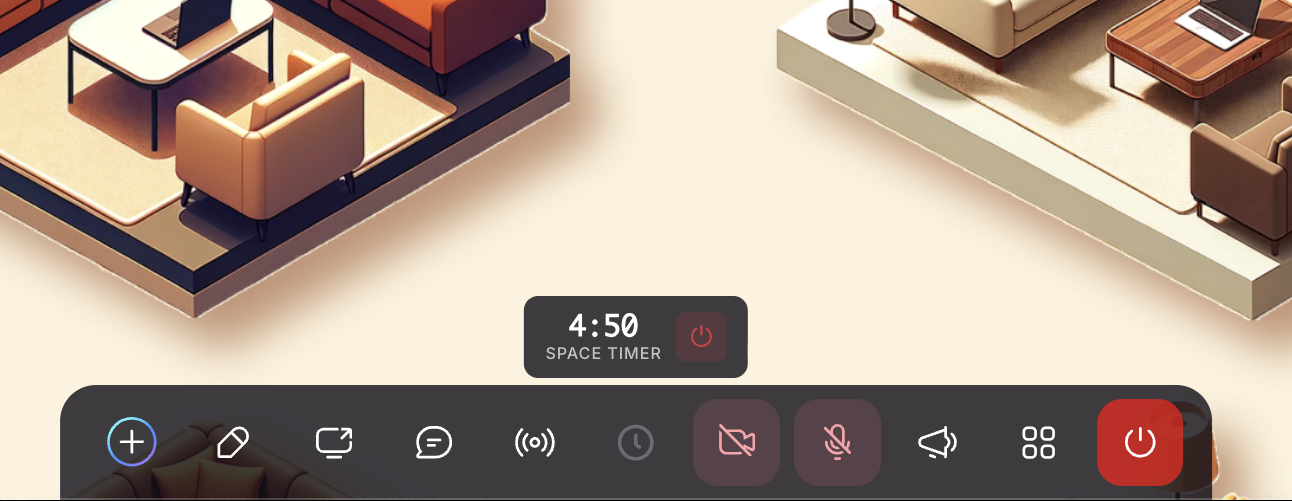
That sounds like a small interface addition. Operationally, it is a useful piece of event infrastructure: people can manage their own final minutes, hosts need fewer interruptions, and transitions become visible before they become urgent.
WHO SEES IT Everyone in the Space | MAXIMUM LENGTH 30 minutes per countdown | WHERE IT LIVES Centered above the control bar |
Why it matters in a multi-room Space
Less interruption. Hosts can let the clock do the reminding instead of repeatedly breaking into conversations.
More autonomy. Participants decide when to finish a thought, exchange a link, or move to the next room.
Cleaner transitions. A common deadline keeps parallel activities aligned even when they are not identical.
One rhythm, many formats. The same signal can coordinate Breakout, Stage, Workplace, and Meeting experiences.
Start a Space-wide countdown
The workflow is deliberately short: choose the clock, enter the number of minutes, and start.
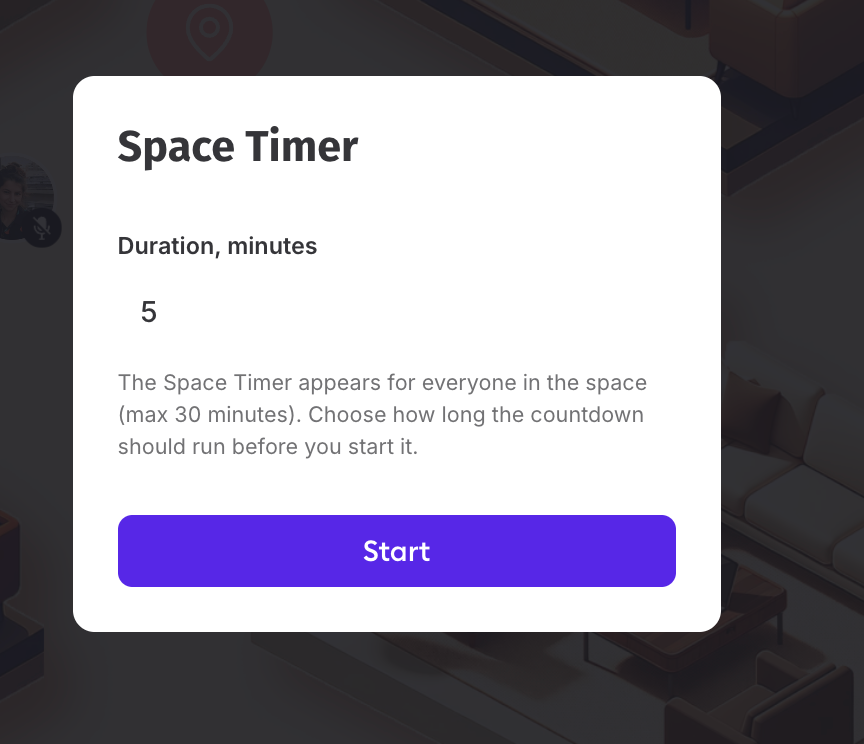
Figure 1. The organizer chooses a duration in minutes; the interface states that the timer is Space-wide and capped at 30 minutes.
Once running, the clock includes a stop control for the organizer. The supplied recording does not show a pause or edit state, so the safest operating habit is simple: decide the duration before pressing Start, and stop and restart only if the run of show genuinely changes.
The countdown travels with the room change
This is the feature’s central behavior. SpatialChat Spaces can contain multiple rooms that organizers rename, group, hide, password-protect, and link to directly. The Space Timer sits above that room-level architecture, giving all of it a common horizon.


Two clocks, two jobs
A Stage Room may need to time a speaker while the wider event is timing an activity. SpatialChat keeps those responsibilities separate.
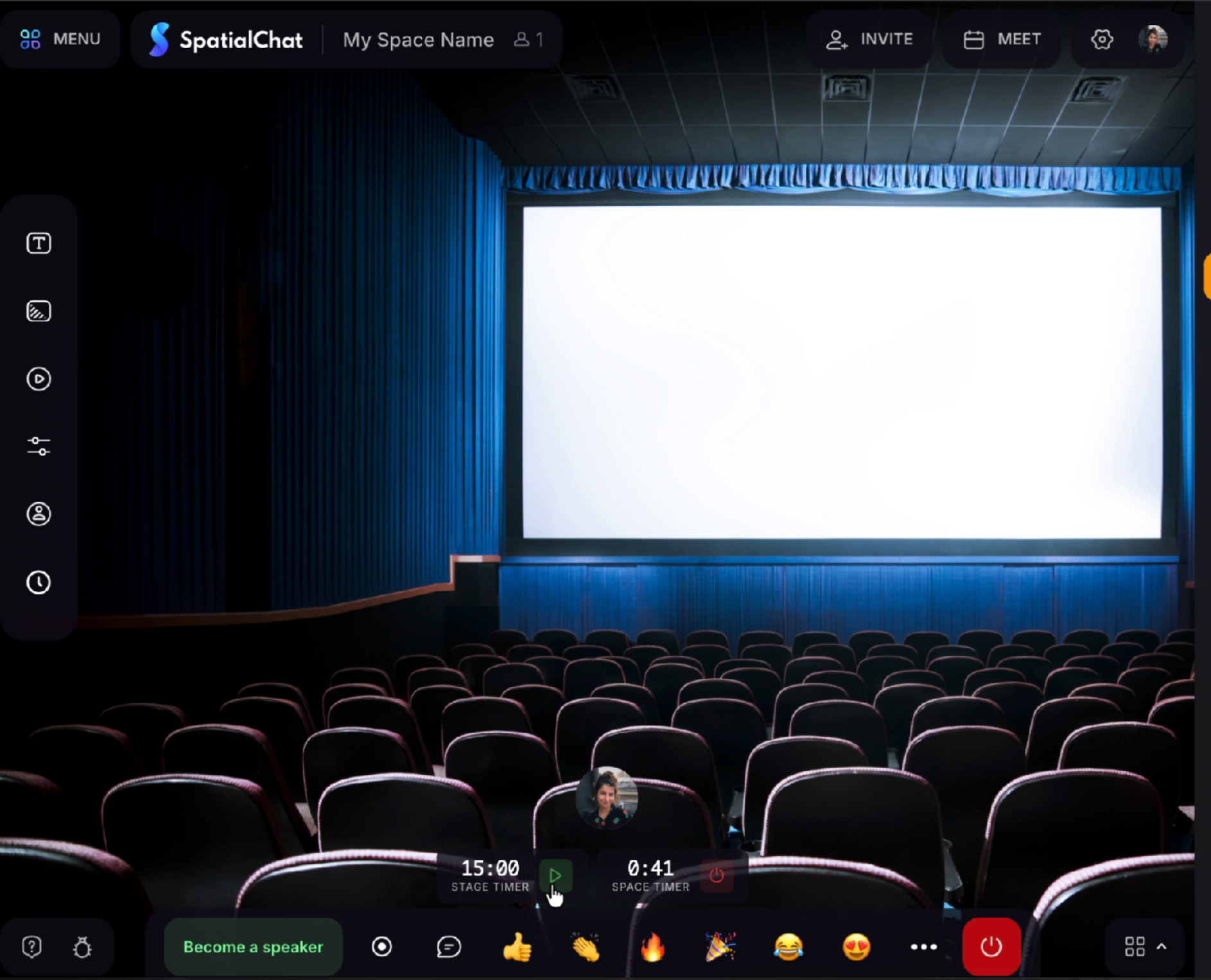
Figure 3. In a Stage Room, the 15:00 Stage Timer and the 0:41 Space Timer appear side by side. One serves the session on stage; the other serves the entire Space.
The distinction is practical. A facilitator can give a speaker 15 minutes on Stage while the larger activity has only 41 seconds left, as the recording demonstrates. The clocks do not compete; they describe two different layers of the experience.
Use the timer as a promise, not a surprise
A countdown is most humane when people know what it is counting down to.
Five habits for smoother transitions
- Name the destination. Say what happens at zero: move rooms, return to Stage, submit, switch partners, or take a break.
- Announce before you start. A quick spoken or written cue gives the clock meaning and reduces anxiety.
- Leave a landing buffer. If the next segment begins at 2:30 p.m., do not make the networking timer expire at exactly 2:30.
- Match the clock to the task. Use short timers for rotations and prompts; use a new countdown for each phase rather than one opaque block.
Pair visibility with redundancy. For important transitions, reinforce the timer with chat, a Megaphone announcement, or a facilitator cue.

Figure 4. In the final seconds, the countdown turns red—an unobtrusive visual escalation that helps participants wrap up.
Four countdowns that should not be confused
SpatialChat uses timer-like controls for different jobs. The names are similar; their consequences are not.
The quiet value of a visible ending
Good facilitation is partly the art of making structure felt without making it oppressive. The Space Timer does that well. It gives a scattered event one shared boundary while letting each room keep its own tone, content, and conversation. At zero, nobody needs to wonder whether “five more minutes” meant them.