Best Zoom Alternatives for Virtual Events & Meetings
SpatialChat, Google Meet, Microsoft Teams, Webex, Gather, and Remo compared for teams looking for a real Zoom alternative in 2026.
TL;DR
- Zoom alternatives split into two camps: mainstream video tools (Google Meet, Microsoft Teams, Webex) and interactive platforms built around movement and presence (SpatialChat, Gather, Remo).
- The global video conferencing market reached $37.29 billion in 2025, and roughly 49% of US employees report real virtual meeting fatigue, which is exactly why alternatives exist.
- Pricing ranges from free tiers on nearly every platform to $25+/user/month for enterprise plans.
- Mainstream tools win on ubiquity and ecosystem fit; interactive platforms win on actual engagement and spontaneous conversation.
- See how SpatialChat compares to Zoom directly if you want the full head-to-head rather than a broader roundup.
Zoom works, until it doesn't. Maybe your team is drowning in scheduled calls that could've been a hallway conversation. Maybe a webinar tool feels wrong for a real conference, or you're just tired of staring at a grid of faces.
Roughly 49% of US employees report real virtual meeting fatigue.
Stanford's Jeremy Bailenson, founding director of Stanford's Virtual Human Interaction Lab, has traced that fatigue to specific factors, like constant eye contact and watching your own face for hours.
This roundup compares six real options, SpatialChat, Google Meet, Microsoft Teams, Webex, Gather, and Remo, spanning mainstream tools and interactive platforms built around movement.
What to Look for in a Zoom Alternative
A few criteria matter regardless of which type of alternative you're considering:
- What you're actually replacing: a quick daily standup, a client meeting, or a multi-session conference all need different things.
- Ecosystem fit: if your team lives in Google Workspace or Microsoft 365, that often decides the choice before features do.
- Meeting length and participant caps on the free tier, since these vary widely and matter for smaller teams.
- Movement and presence: does the platform let people have spontaneous side conversations, or is every interaction the same static grid?
- Security and compliance requirements, especially for regulated industries. Security and privacy practices vary more between platforms than most buyers expect.
Weight these differently depending on whether you're replacing daily meetings or hosting occasional larger events.
Quick Comparison: Zoom Alternatives at a Glance
Pricing shown is the lowest published list rate as of 2026. Ecosystem-bundled tools (Meet, Teams) often cost less in practice if you already pay for the surrounding suite.
Top Zoom Alternatives to Watch Out
1. SpatialChat: Interactive Meetings and Events
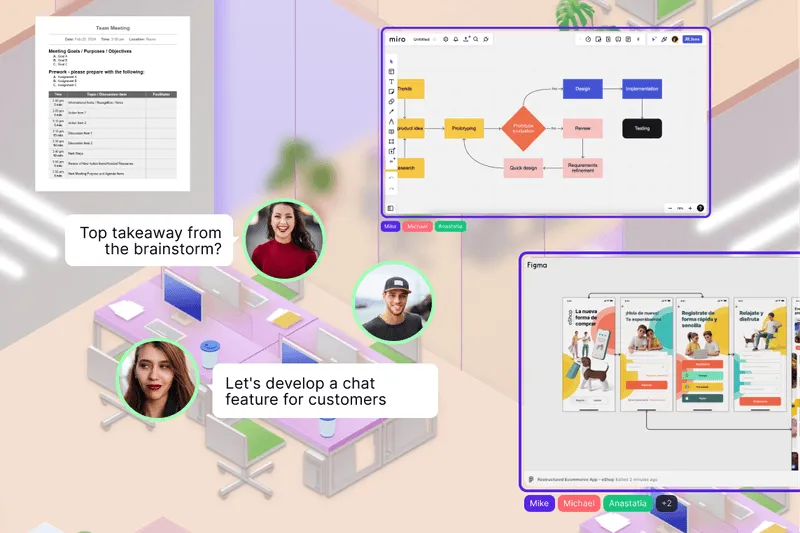
SpatialChat replaces the static video grid with a shared space where people move between conversations. Proximity audio fades in as you approach a group and fades out as you leave, closer to how conversation actually works in a room.
Key features:
- Proximity-based spatial audio across meeting and social spaces
- Persistent, branded rooms that double as an all-hands or event venue
- Embedded collaboration tools (Miro, Google Docs) inside the space
- Browser-based, no downloads required
Pricing: Free tier available, with paid plans scaling by team size and features.
Best for: Teams and event organizers who want spontaneous conversation and real engagement, not just a meeting that happened to move online.
Limitation: Less of a fit for a simple, single-purpose daily standup where a static grid is genuinely all you need.
See the full SpatialChat vs. Zoom comparison for a direct, feature-by-feature breakdown, and the science of why spatial audio reduces video fatigue for the research behind it.
2. Google Meet: Best for Google Workspace Teams
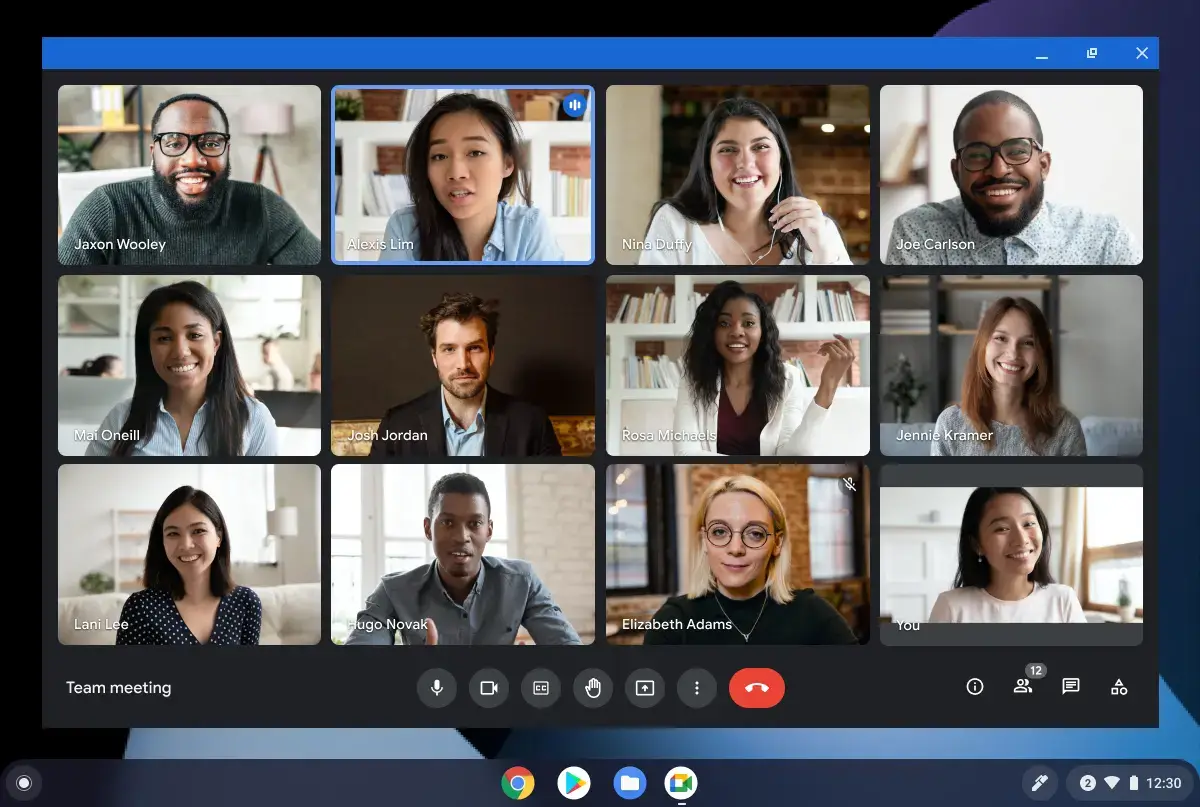
Google Meet is the default choice for any team already living in Gmail, Calendar, and Docs, opening directly from an invite with no separate app required.
Key features:
- Opens from Gmail or Calendar with no extra download
- Gemini AI now bundled into paid plans at no extra cost
- Live captions and real-time transcription
- Deep integration across the Google Workspace suite
Pricing: Free for up to 100 participants and 60-minute meetings. Paid Workspace plans run $7-22/user/month, with Gemini AI included.
Best for: Teams already paying for Google Workspace who want video included at no incremental cost.
Limitation: Meet is a feature within Workspace, not a standalone product, so the pricing math only works if you need the rest of the suite too.
3. Microsoft Teams: Best for Microsoft 365 Teams
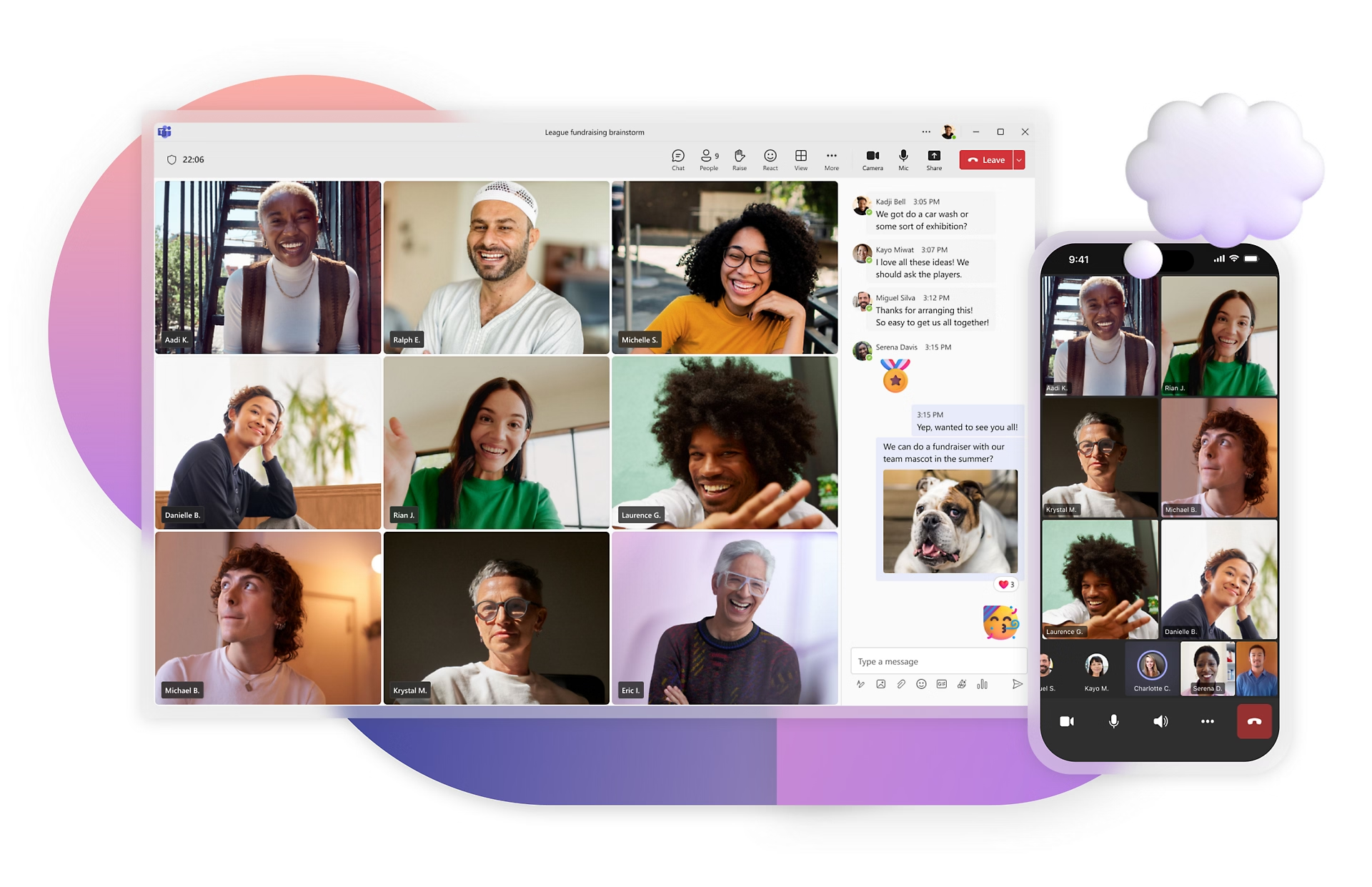
Microsoft Teams works the same way for organizations already inside the Microsoft ecosystem: chat, calling, and meetings alongside Word, Excel, and Outlook.
Key features:
- Standalone Teams Essentials plan, or bundled into Microsoft 365
- Deep integration with Outlook, SharePoint, and Office apps
- Meeting recording, transcription, and AI-generated summaries
- Admin controls suited to larger organizations
Pricing: Free tier available. Teams Essentials starts around $4/user/month standalone, or $7/user/month bundled into Microsoft 365 Business Basic.
Best for: Organizations already standardized on Microsoft 365 who want meetings included rather than paid for separately.
Limitation: Full functionality often requires a broader Microsoft 365 subscription, similar to Google Meet's ecosystem dependency.
4. Cisco Webex: Best for Large, Secure Enterprise Meetings
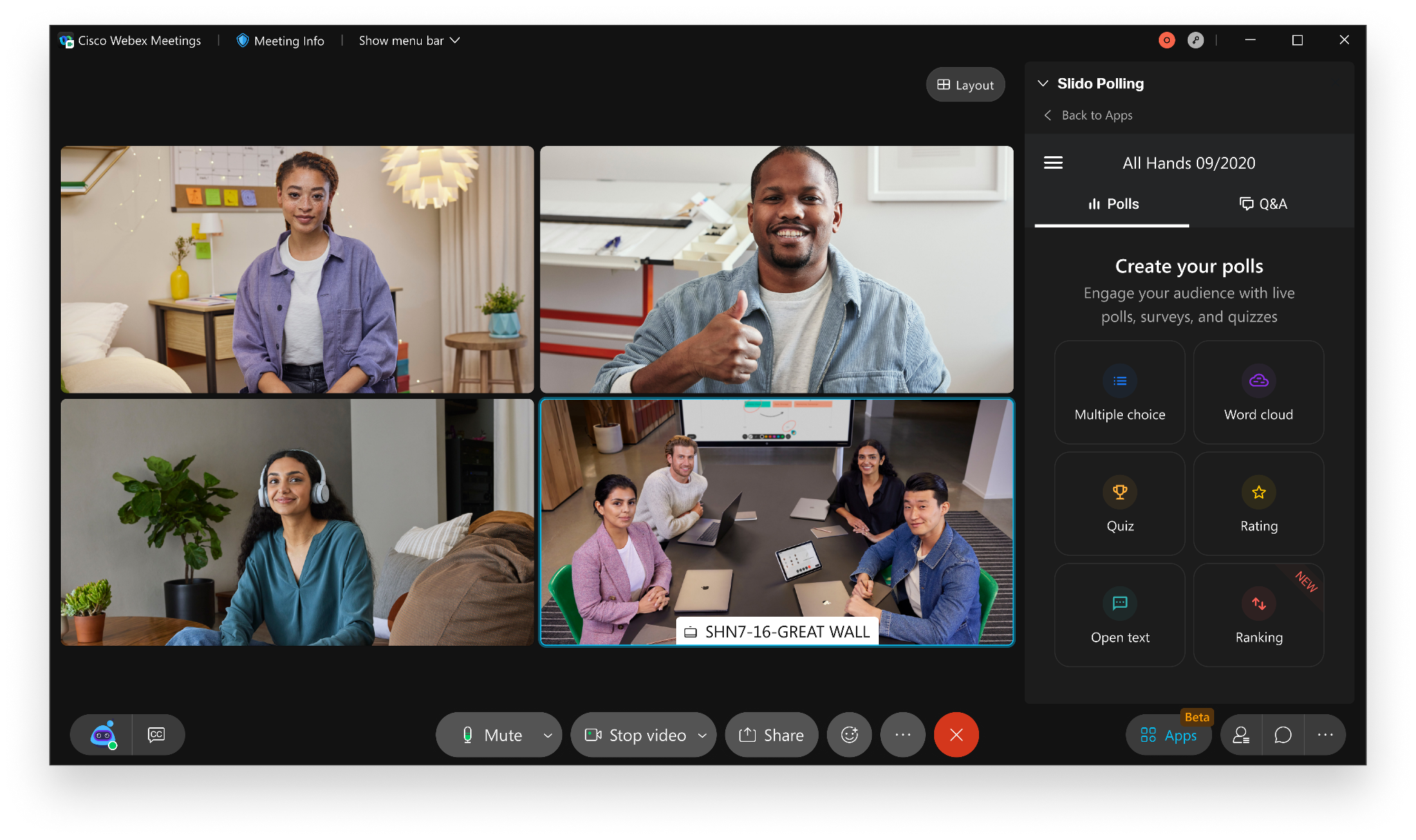
Webex leans on Cisco's enterprise security pedigree, with end-to-end encryption by default even on its free plan.
Key features:
- End-to-end encryption on every tier, including free
- AI-powered meeting summaries and noise cancellation
- Support for up to 200+ participants on paid tiers
- Deep compliance tooling for regulated industries, including SSO enforcement
Pricing: Free for 100 attendees with a 40-minute cap. Meet plan around $14.50/user/month, Suite around $25/user/month, custom Enterprise pricing above that.
Best for: Large organizations in healthcare, finance, or government needing strict compliance and security guarantees.
Limitation: Pricing climbs quickly past the entry tier, and Enterprise costs require a sales conversation rather than transparent published rates.
5. Gather: Best for Playful Remote Team Culture
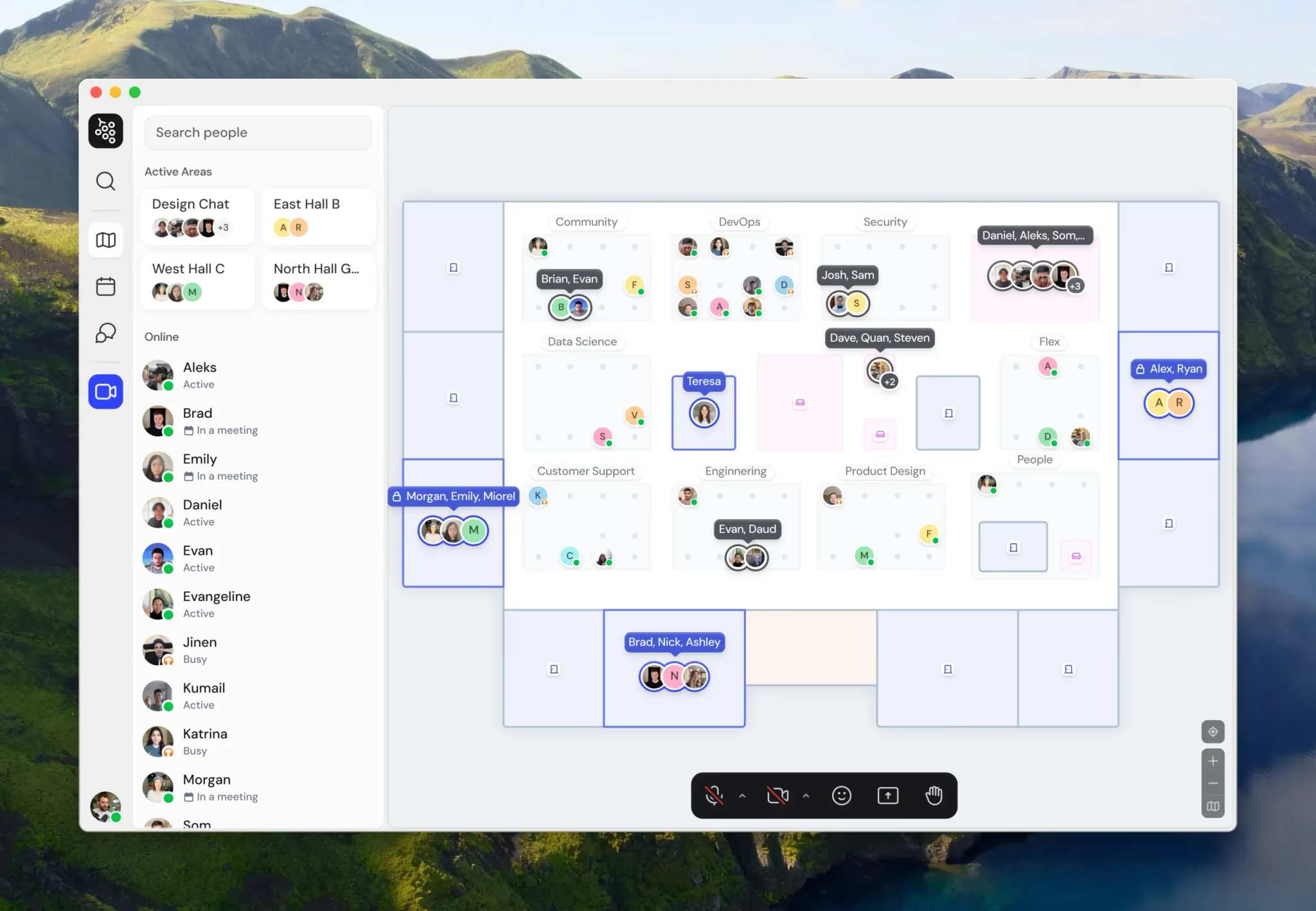
Gather's pixel-art map leans into a game-like aesthetic, aimed at teams that want daily presence to feel less like a meeting tool and more like a shared space.
Key features:
- Customizable pixel-art map with 25+ integrations
- Proximity-based conversation zones
- Persistent chat and session recording
- Extensive room and object customization
Pricing: $12-15/user/month, after removing its free tier in late 2025.
Best for: Smaller, culture-focused teams who want a playful daily presence tool rather than a scheduled-meeting replacement.
Limitation: Reported to be in maintenance mode with limited new development, and it's built more for daily coworking than structured meetings or events.
6. Remo: Best for Structured Table Networking

Remo takes a different approach to interaction: a visual floor plan of clickable tables, where joining a conversation means clicking a seat rather than walking up to a group.
Key features:
- Visual floor plan with numbered, clickable tables
- Presentation mode broadcasting to all tables at once
- Per-table whiteboard and screen sharing
- Event analytics dashboard
Pricing: Starter plan from $299/month, with custom Enterprise tiers available.
Best for: Structured networking events and roundtables where small-group conversation is the explicit goal.
Limitation: The table format doesn't suit daily internal meetings well, it's built specifically for event-style networking.
How to Choose the Right Zoom Alternative
Match the alternative to what you're actually replacing:
- Choose SpatialChat if engagement and spontaneous conversation matter as much as the meeting itself, for both daily use and events.
- Choose Google Meet or Microsoft Teams if your team already lives in that ecosystem and switching tools isn't worth the friction.
- Choose Webex if compliance and enterprise security are non-negotiable requirements.
- Choose Gather if daily team culture and a playful aesthetic matter more than structured meetings.
- Choose Remo if you're running a networking-focused event with clear table-based small groups.
Test any alternative with a real meeting or small event before rolling it out broadly. 8 creative meeting formats is a useful starting point once you've picked a platform, to see what's actually possible beyond a standard call.
Conclusion
There's no single best Zoom alternative, only the best fit for what you're actually trying to replace.
Mainstream tools win when ecosystem fit and ubiquity matter most; interactive platforms win when engagement and real conversation are the point.
Start with what's actually driving you to look for an alternative in the first place, whether that's fatigue, cost, or a format Zoom just wasn't built for.
Try SpatialChat free to see what a meeting feels like when it's not just a grid of faces.
FAQ
Is there a completely free Zoom alternative?
Yes, several. SpatialChat, Google Meet, Microsoft Teams, and Webex all offer usable free tiers, though meeting length and participant caps vary. Gather and Remo don't currently offer free plans.
What's the best Zoom alternative for large webinars?
Cisco Webex and Microsoft Teams both handle large-scale broadcasts well, with participant capacity well above typical free-tier limits. For events needing real audience interaction rather than passive viewing, SpatialChat is a stronger fit.
Can I switch from Zoom without retraining my whole team?
Google Meet and Microsoft Teams have the gentlest learning curve if your team already uses the surrounding ecosystem. Interactive platforms like SpatialChat and Gather need a short adjustment period, but most teams adapt within a session or two.
Is Zoom fatigue a real phenomenon, or just a meme?
It's real and documented. Stanford research has linked it to specific factors like constant eye contact and seeing your own face during calls, not just general screen time.
Which Zoom alternative is best for a small team under 10 people?
SpatialChat, Google Meet, and Microsoft Teams all work well for small teams on free or low-cost tiers. Webex, Gather, and Remo are better suited to slightly larger teams or dedicated event use.
Do any of these alternatives integrate with Zoom itself during a transition?
Some organizations run both in parallel during a transition period rather than switching overnight. Most platforms support calendar integrations that make scheduling consistent regardless of which tool is used for a given meeting.
What's the difference between a Zoom alternative for meetings and one for events?
Meeting-focused tools like Google Meet and Teams are built for recurring, smaller-group calls. Event-focused platforms like SpatialChat and Remo add registration, larger capacity, and structured networking that a meeting tool doesn't need.
Are interactive platforms like SpatialChat and Gather harder to use than Zoom?
There's a small learning curve around movement and proximity, but most users adjust within one or two sessions. The tradeoff is a format that reduces the fatigue of staring at a static grid for hours.
Which Zoom alternative has the best security for regulated industries?
Cisco Webex is generally the strongest choice for healthcare, finance, or government use, with end-to-end encryption by default and deep compliance tooling built specifically for regulated sectors.
How much can switching from Zoom actually save?
It depends entirely on your current plan and team size. Teams already paying for Google Workspace or Microsoft 365 often save the most, since video conferencing comes bundled at no additional cost.