Best Virtual Office Platforms for Remote Teams in 2026
SpatialChat, SoWork, Gather, Sococo, Roam, and Teamflow compared on pricing, features, and best use case for remote and hybrid teams.
TL;DR
- SpatialChat, SoWork, Gather, Sococo, Roam, and Teamflow all solve the same core problem differently, and the "best" one depends on team size and culture, not feature count.
- Roam and SoWork lead on all-in-one bundling and AI features respectively; Gather and Teamflow lean playful and work-focused; Sococo is built for enterprise floor-plan visibility.
- Pricing ranges from free tiers for under-10-person teams to $25/seat/month for enterprise plans, and most platforms bill per active user, not per license.
- Hybrid work has stabilized at roughly half of remote-capable US employees, which is exactly the audience this whole category serves.
- Test any platform with a real subset of your team before rolling out company-wide, since adoption depends more on habits than features.
Six platforms, six different philosophies, and one real question: which one will your team actually open every day? A tool with a longer feature list doesn't win if nobody uses it after week two.
Gallup's ongoing workplace research, led by chief scientist Jim Harter, puts hybrid work at 52% of remote-capable US employees in 2026, exactly the audience this whole category serves.
This roundup compares SpatialChat, SoWork, Gather, Sococo, Roam, and Teamflow on what they actually cost, who they're built for, and where each falls short.
Why positive virtual workspaces matter is worth reading first if culture, not just features, is your real concern.
What to Look for in a Virtual Office Platform?
A few criteria matter regardless of which platform you're evaluating:
- Ease of spontaneous interaction: how quickly can someone start a conversation without scheduling it?
- Presence visibility: can teammates actually tell who's around and available?
- Pricing model: per active user, per seat, or a flat rate, since these scale very differently
- Flexibility beyond daily work: can the same space host an all-hands or larger event, or does that need a separate tool?
- Integration depth: does it connect to your existing calendar, chat, and file tools, or add another silo?
Weight these differently based on team size. A 15-person startup and a 300-person company are optimizing for different things.
Quick Comparison: Virtual Office Platforms at a Glance
Pricing shown is the lowest published list rate as of 2026. Several platforms bill only for active users in a given month rather than total headcount, worth checking closely since it changes real cost significantly.
SpatialChat: Flexible Daily Work and Events in One Space
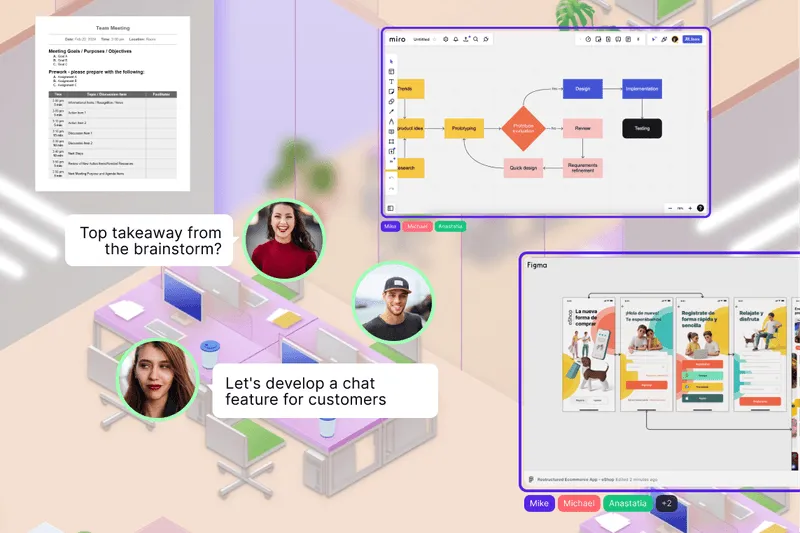
SpatialChat is a virtual office platform which is built around proximity instead of scheduling. Teams move between focus areas and collaboration zones, and spatial audio means conversations fade in as you approach a group and fade out as you leave.
Key features:
- Proximity-based spatial audio across work zones and social spaces
- Persistent, branded rooms that double as an all-hands or event venue without switching tools
- Embedded collaboration tools (Miro, Google Docs) inside the workspace
- Single sign-on via SAML for larger teams
- Browser-based, no downloads required
Pricing: Free tier available, with paid plans scaling by team size and features, see pricing.
Best for: Teams that want one space for both daily coworking and occasional larger gatherings like town halls, without paying for two separate tools.
Limitation: Less purpose-built for pure AI-driven meeting productivity than platforms designed specifically around that, like SoWork.
Try SpatialChat's virtual office software free to see how proximity-based presence feels in practice.
SoWork: AI-Driven Coordination
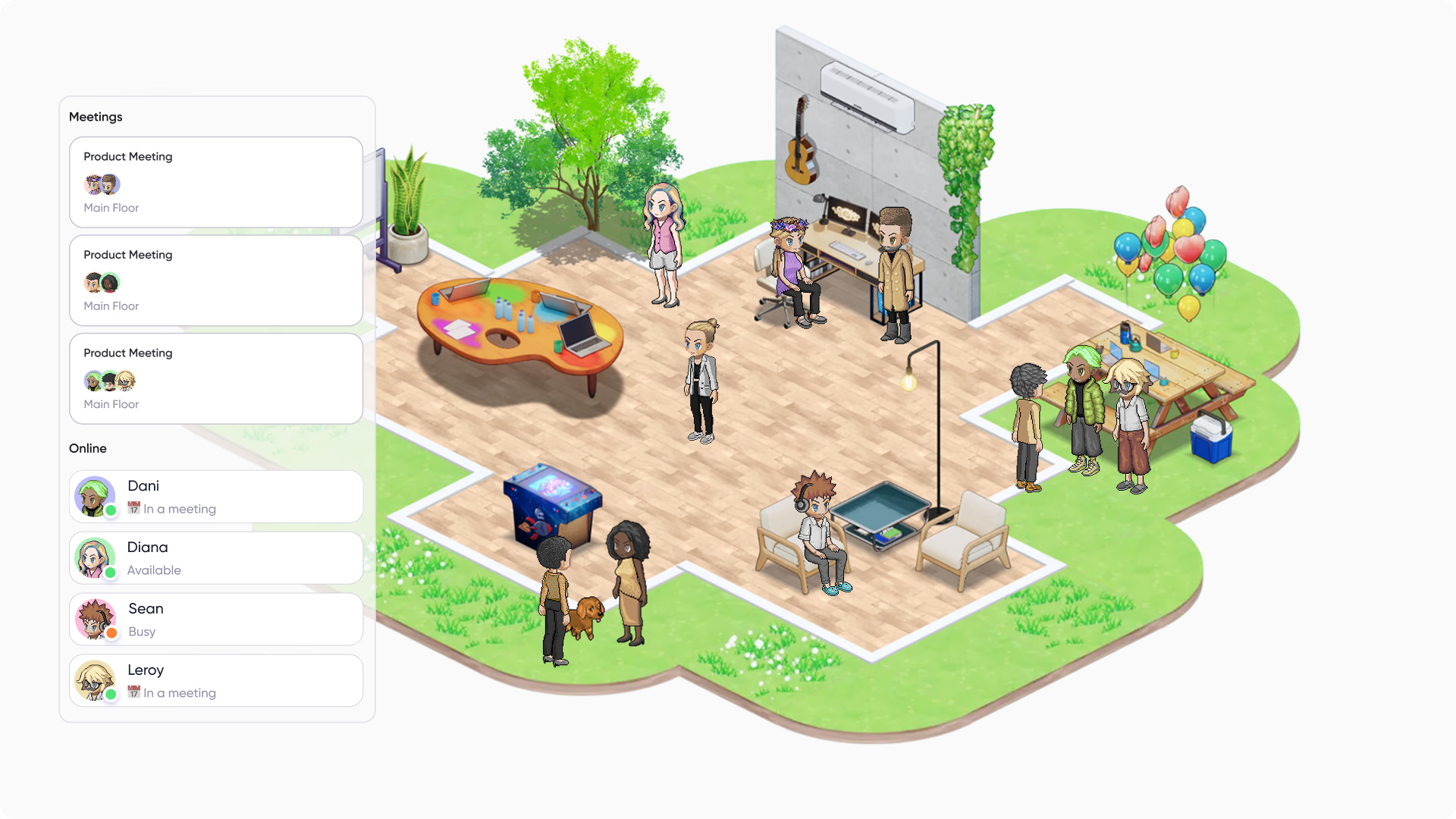
SoWork positions itself as the coordination layer above your existing tools, with AI meeting notes and presence awareness at the center of its pitch.
Key features:
- AI-generated meeting notes and summaries
- 2.5D immersive interface with a "Simplified Mode" non-world UI option
- Free migration and custom maps for teams over 30 users
- Volume discounts above 100 users
Pricing: Basic tier $6/user/month ($5.40 annually), Premium $15/user/month ($12 annually).
Best for: Teams that want AI handling meeting follow-up automatically, reducing manual note-taking overhead.
Limitation: The immersive world interface adds a learning curve some teams skip via Simplified Mode, which trades away some of the spatial appeal.
Gather: Playful, Social Team Culture
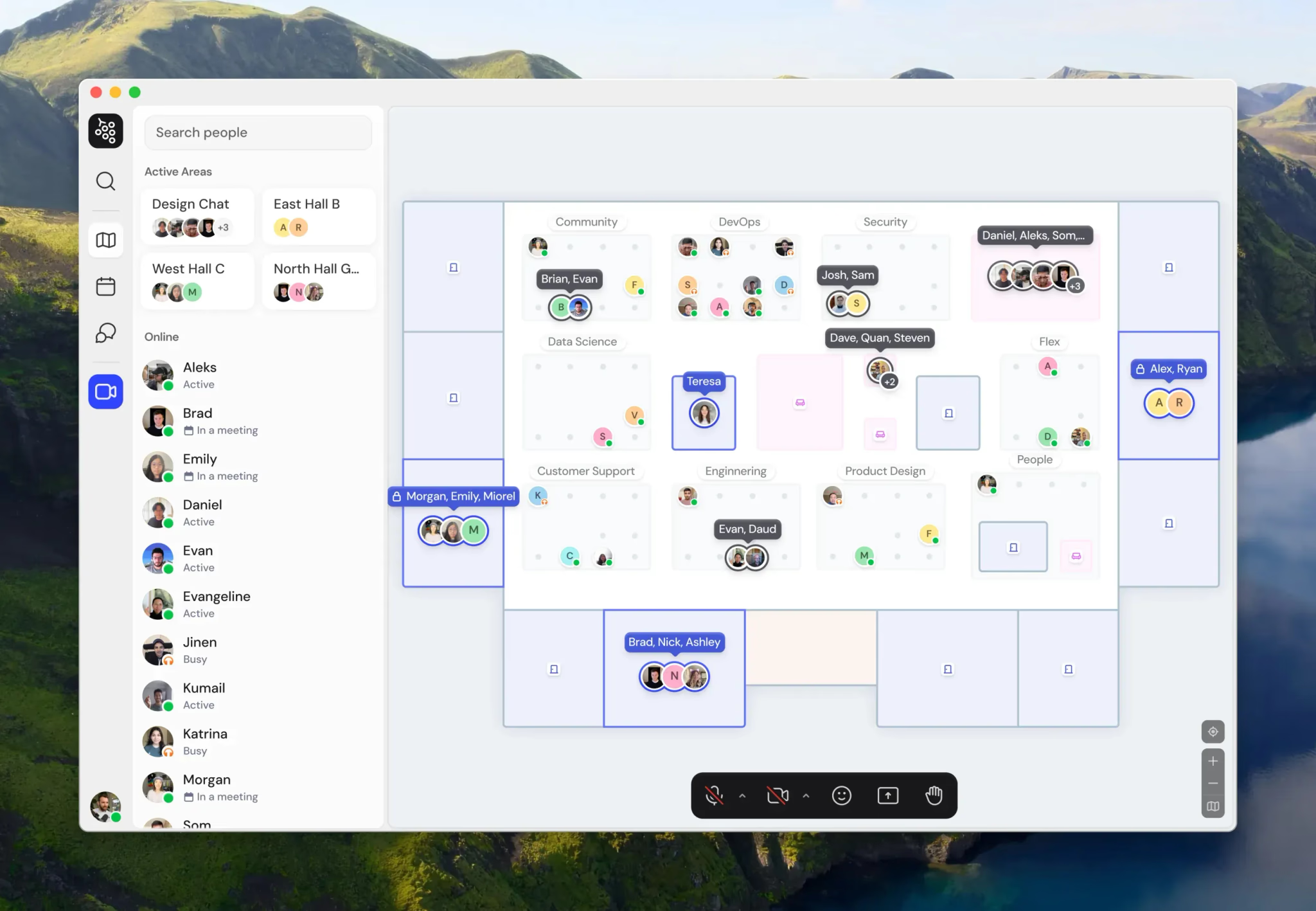
Gather's pixel-art, top-down map leans into a game-like aesthetic, appealing to teams that want culture and fun as much as coordination.
Key features:
- Customizable pixel-art map with 25+ integrations including Slack and Google Meet
- Persistent chat and recording
- Proximity-based conversation zones
- Extensive room and object customization
Pricing: $12-15/user/month after removing its free tier in late 2025.
Best for: Smaller teams (under 50) prioritizing a playful, creative culture. 12 virtual team building ideas gives a sense of the kind of culture-building this format supports well.
Limitation: Reported to be in maintenance mode with limited new development, and lacks the AI productivity tooling competitors now offer.
Sococo: Enterprise Floor-Plan Presence
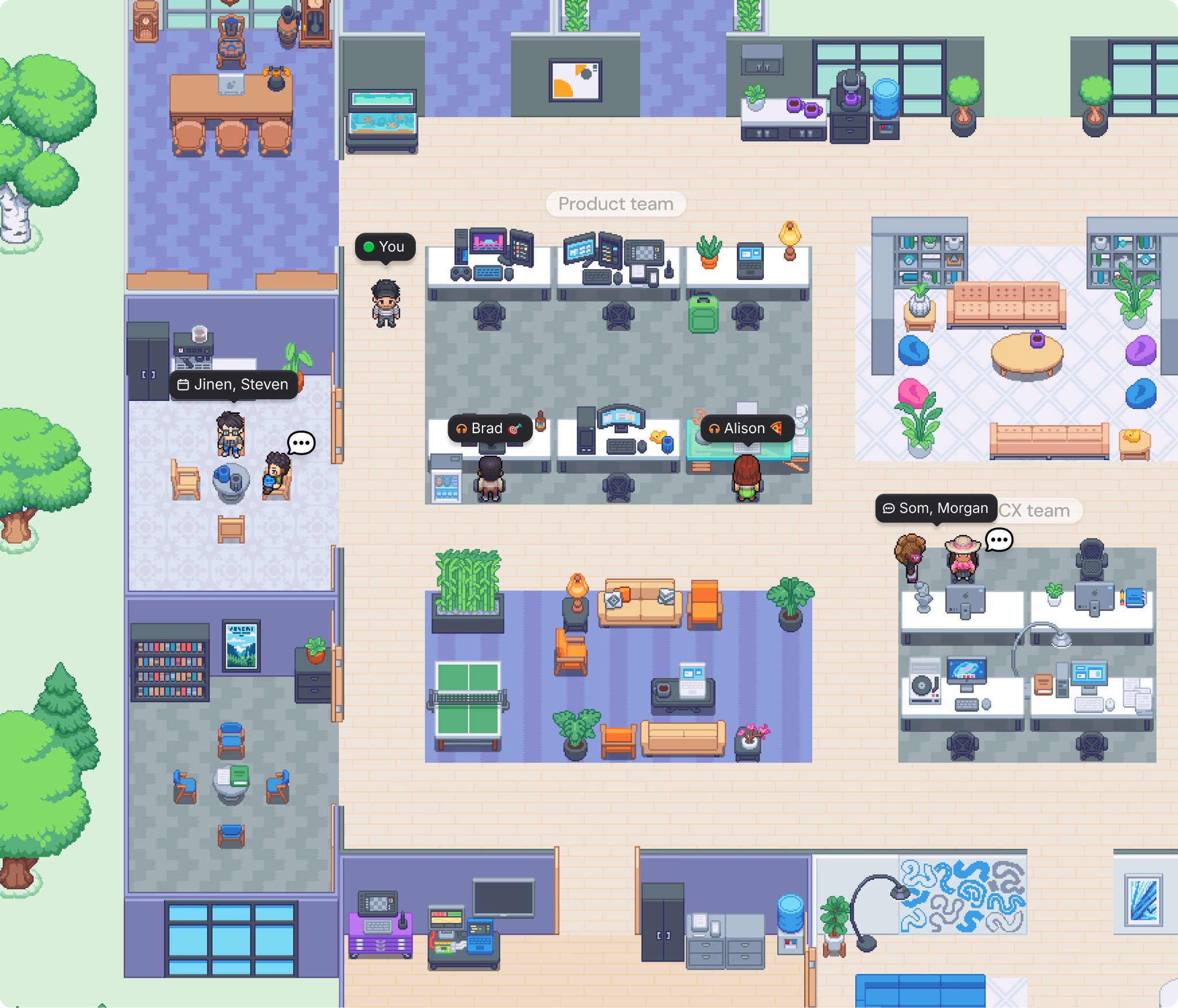
Sococo takes a bird's-eye, architectural approach: a floor plan with rooms, where blinking avatars show activity and a "knock" feature requests entry.
Key features:
- Top-down office floor-plan visualization
- Integrates with existing Zoom or Webex rather than replacing them
- Role-based rooms and department visibility
- Enterprise-focused admin controls
Pricing: Standard plan $14.99/seat/month ($13.49 annually), 10-seat minimum. Unlimited plan $24.99/seat, 100-seat minimum.
Best for: Enterprises already running Zoom or Webex who want a visual presence layer without replacing their video stack.
Limitation: Seat minimums make it a poor fit for small teams, and the native media cap on lower tiers can be a real constraint.
Roam: All-in-One Tool Replacement
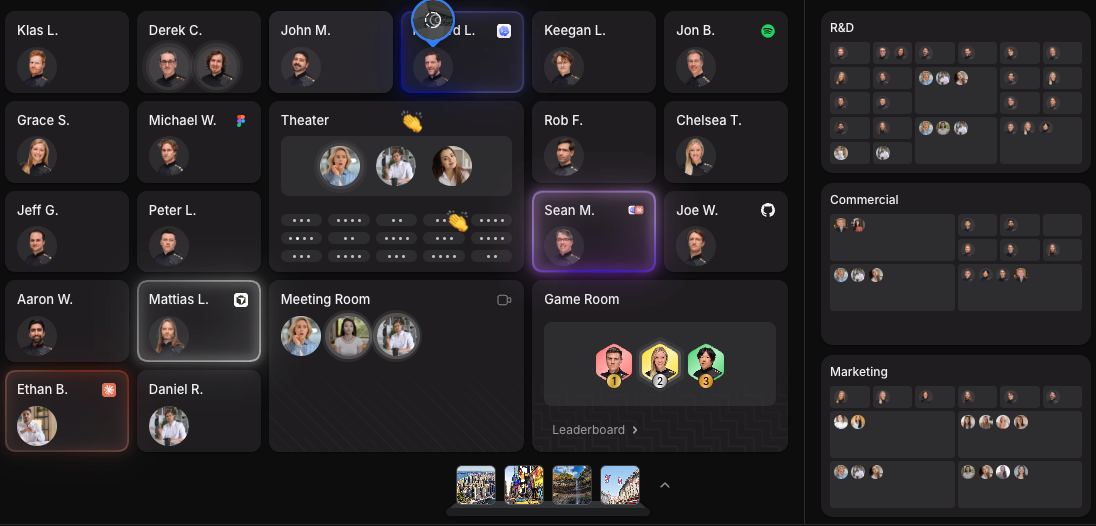
Roam bundles nine products, drop-in video, scheduling, AI notes, screen recording, an AI assistant, chat, all-hands, and events, into a single price with no feature gating.
Key features:
- Nine integrated tools at one flat rate, replacing separate apps like Calendly and Loom
- Usage-based billing: only active members count toward your bill
- 14-day trial per new member added
- Native GitHub and Figma integrations
Pricing: $19.50 per active member/month, no annual contracts, billed strictly monthly.
Best for: Remote-first companies of 20-500 who want to consolidate a scattered tool stack into one platform and one bill.
Limitation: No annual discount option, and the flat per-active-member rate can cost more than seat-based competitors for teams with high, consistent daily usage.
Reviewers on G2 report that 85% of members feel more connected to colleagues within two days of adopting Roam, and average meetings run around 8 minutes.
Teamflow: Work-Focused Teams Wanting Fewer Meetings
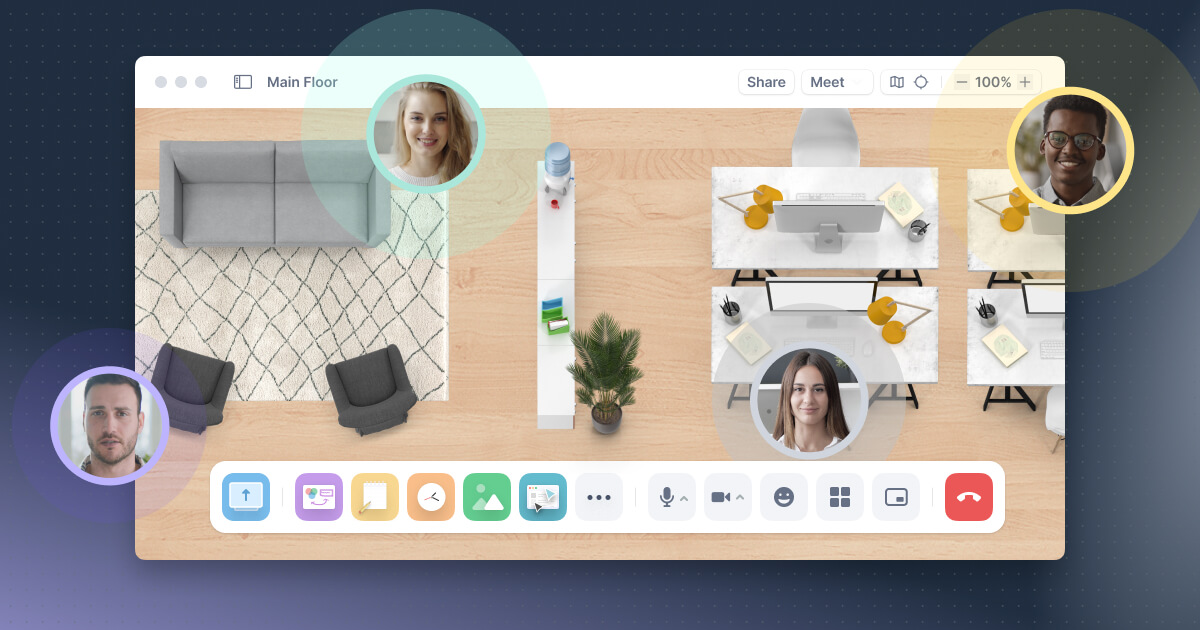
Teamflow's bubble-based interface shows your video moving around a shared space, with audio limited to whoever's nearby, explicitly positioned as work-focused rather than social.
Key features:
- Movable video bubbles with proximity audio
- Whiteboards, timers, and screen-sharing built in
- Supports up to 200 people per floor
- Auto camera/mic controls when the app is backgrounded
Pricing: Free for up to 5 employees. Seed $15/employee/month, Business $25/employee/month (billed yearly).
Best for: Teams that want fewer scheduled meetings and more organic work-alongside-each-other time, without a gamified aesthetic.
Limitation: Less actively marketed than some competitors, and its free tier caps out quickly for growing teams.
How to Choose the Right Platform
Match the platform to your team's actual habits, not the longest feature list:
- Choose SpatialChat if you want one space that handles both daily coworking and occasional bigger gatherings like virtual all-hands, without a second tool.
- Choose SoWork if reducing meeting follow-up work through AI matters more than a playful aesthetic.
- Choose Gather if team culture and a fun, game-like feel are the priority for a smaller team.
- Choose Sococo if you're an enterprise already on Zoom or Webex wanting a presence layer, not a replacement.
- Choose Roam if consolidating a scattered tool stack into one bill and one login is the main goal.
- Choose Teamflow if your team wants fewer meetings and less social overhead, just focused work alongside colleagues.
Trial with a real subset of your team before rolling out company-wide. A platform that wins a sales demo can still fail if people simply don't open it during a normal workday.
Conclusion
There's no single best virtual office platform, only the best fit for how your specific team actually works.
Six real options here span AI coordination, social culture, enterprise presence, all-in-one consolidation, and focused work, and the right one depends on which of those problems you're actually solving.
Start with the platform that matches your team's biggest pain point today, not a hypothetical future need. Try SpatialChat free to see what flexible, proximity-based presence feels like for your team.
FAQ
Which virtual office platform is cheapest for a small team?
SpatialChat, SoWork, and Teamflow all offer free tiers for small teams, typically capped under 10 users. Gather removed its free tier in 2025, and Sococo and Roam have no free option at all.
Is Roam or SoWork better for AI features?
SoWork is built more specifically around AI meeting notes and summaries as its core differentiator. Roam includes an AI assistant as one of nine bundled tools, but it's not the platform's primary focus the way it is for SoWork.
Can these platforms replace Zoom entirely?
Some can, others are designed to sit alongside it. SpatialChat, SoWork, Gather, Roam, and Teamflow can replace video calls outright, while Sococo is explicitly built as a presence layer on top of Zoom or Webex rather than a replacement.
Which platform is best for a fully distributed team with no office at all?
Roam and SoWork are both built specifically for remote-first companies without a physical office. SpatialChat and Teamflow work equally well for fully remote or hybrid setups, depending on team culture preferences.
Do any of these platforms charge based on active use instead of total headcount?
Yes. Roam bills only for members active during the month, and inactive seats don't count. Most other platforms on this list bill per licensed seat regardless of actual daily use.
Which platform works best for hybrid teams with some people in a physical office?
SpatialChat and Roam both explicitly support hybrid setups, letting in-office and remote employees join the same digital space. Gather and Teamflow work for hybrid teams too, though they're more commonly adopted by fully remote companies.
How long should a trial run before deciding on a platform?
Two to four weeks is usually enough to see whether a team actually adopts daily habits, rather than just testing features once. Roam and Teamflow both offer trial periods per new member added, which works well for a staged rollout.
Is a playful platform like Gather less "serious" than the others?
Not necessarily, it's a different bet on what drives adoption. Teams that value culture and fun as retention tools often see stronger daily usage on a playful platform than a purely functional one nobody wants to open.
What happens if my team outgrows a platform's pricing tier?
Most platforms offer volume discounts or custom enterprise pricing once you scale past standard tiers. SoWork and Sococo both explicitly discount at higher seat counts, while Roam's flat rate scales linearly with active members.
Do I need IT involvement to roll one of these out?
For small teams, usually not, most platforms are self-serve and browser-based. Larger organizations should still involve IT for SSO setup, security review, and integration with existing calendar and chat tools before a company-wide rollout.