6 Best Virtual Conference Platforms in 2026
Compare 6 virtual conference platforms on pricing, networking, and scale: SpatialChat, Zoom Events, Microsoft Teams, Airmeet, Remo, and Whova.
TL;DR
- SpatialChat, Zoom Events, Microsoft Teams, Airmeet, Remo, and Whova solve different problems, and picking based on price alone usually means picking wrong.
- Zoom Events and Microsoft Teams are the lowest-friction options if your team already lives in that ecosystem, but neither was built for spontaneous networking.
- SpatialChat and Remo both use spatial layouts for networking, but SpatialChat uses proximity audio while Remo uses clickable tables, a real difference in how conversations start.
- Airmeet's pricing climbs fast past its $199/month entry tier, and both Whova and Airmeet require a sales quote for anything beyond a small event.
- 92% of attendees say they prefer interactive formats over traditional one-way presentations, which most legacy webinar platforms still aren't built to deliver.
Your team spent weeks building the agenda, booking speakers, and designing slides. The keynote goes fine. Then the "networking break" arrives, and half your attendees vanish or sit in silence with their cameras off.
This isn't unusual. Freeman research found that 78% of event organizers believe they delivered a standout, memorable event, but only 60% of attendees actually felt that same level of engagement.
The gap usually isn't the content, it's the platform, and it shows up in how differently these tools are actually built:
- Generic video-call tools bolted onto a registration page
- Structured, table-based networking platforms
- Purpose-built spatial platforms designed around movement and proximity
- Full event-management suites built for large-scale logistics
The right choice depends on your event size, your budget, and how much you care about attendees actually meeting each other, not just watching a stream. This guide compares six real options: SpatialChat, Zoom Events, Microsoft Teams, Airmeet, Remo, and Whova.
What to Look for in Virtual Conference Software
Not every platform solves the same problem, but a few criteria matter regardless of which category you're considering:
- Networking that doesn't require scheduling. The best platforms create organic connections through proximity audio, clickable tables, or matchmaking, not just a static attendee list.
- Multi-track session support. Conferences rarely run one stream. You need parallel sessions and a way for attendees to move between them without technical friction.
- Sponsor and exhibitor tools. If sponsors are paying to be there, they need booths, lead capture, and real visibility, not just a logo on a slide.
- Engagement beyond the chat box. Live polls, reactions, and structured Q&A keep people active instead of passively watching. 92% of attendees say they prefer interactive formats over traditional one-way presentations, according to a 2026 survey.
- Low-friction access. If attendees need to download software or create an account before the first session starts, you'll lose a meaningful share of registrants before anyone speaks.
Weight these differently depending on your event. A 50-person community meetup and a 2,000-person industry conference need almost opposite things from a platform.
Quick Comparison: Virtual Conference Platforms at a Glance
Here's how the six stack up before the deeper reviews below.
Pricing shown is the lowest published list price as of 2026. Every platform except SpatialChat requires a custom quote once you scale past its entry tier.
SpatialChat: Best for Spatial, Movement-Based Networking
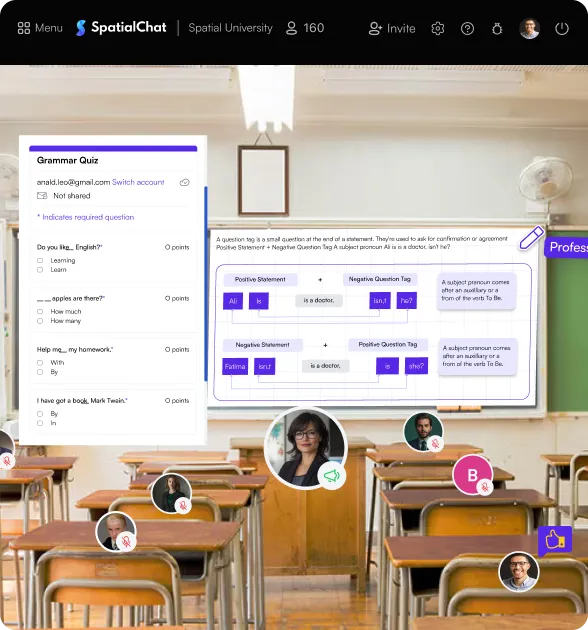
SpatialChat solves the exact problem from this guide's intro: attendees who show up, watch, and leave without meeting anyone. Instead of static video tiles, attendees appear in a shared space and move between conversation clusters.
Proximity audio fades in as you approach a group and fades out as you leave. Networking happens the way it does at an in-person conference, by walking up and joining in.
Key features:
- Proximity-based spatial audio across networking lounges and breakout areas
- Persistent, branded rooms for keynotes, sponsor booths, and parallel tracks
- Simultaneous multi-screen sharing and embedded tools (Miro, Google Docs, Kahoot)
- Activity insights dashboard for attendance and engagement tracking
- Browser-based, no downloads required
Dr. John Schreiner, President of Medical Physics for World Benefit at Queens University, hosted a conference on SpatialChat. "I am really pleased with how the SpatialChat venue has turned out," he said. See the full SpatialChat virtual conference platform for the complete feature set and pricing.
Best for: Conferences where networking quality matters as much as content: community events, academic conferences, and company summits under a few thousand attendees.
Limitation: Not built as a pure one-way broadcast tool for 10,000+ passive viewers, so a single livestream with no networking component is better served by a plain webinar tool.
Pricing: Free tier available, with paid plans scaling by attendee count and features.
Zoom Events: Best for Teams Already on Zoom
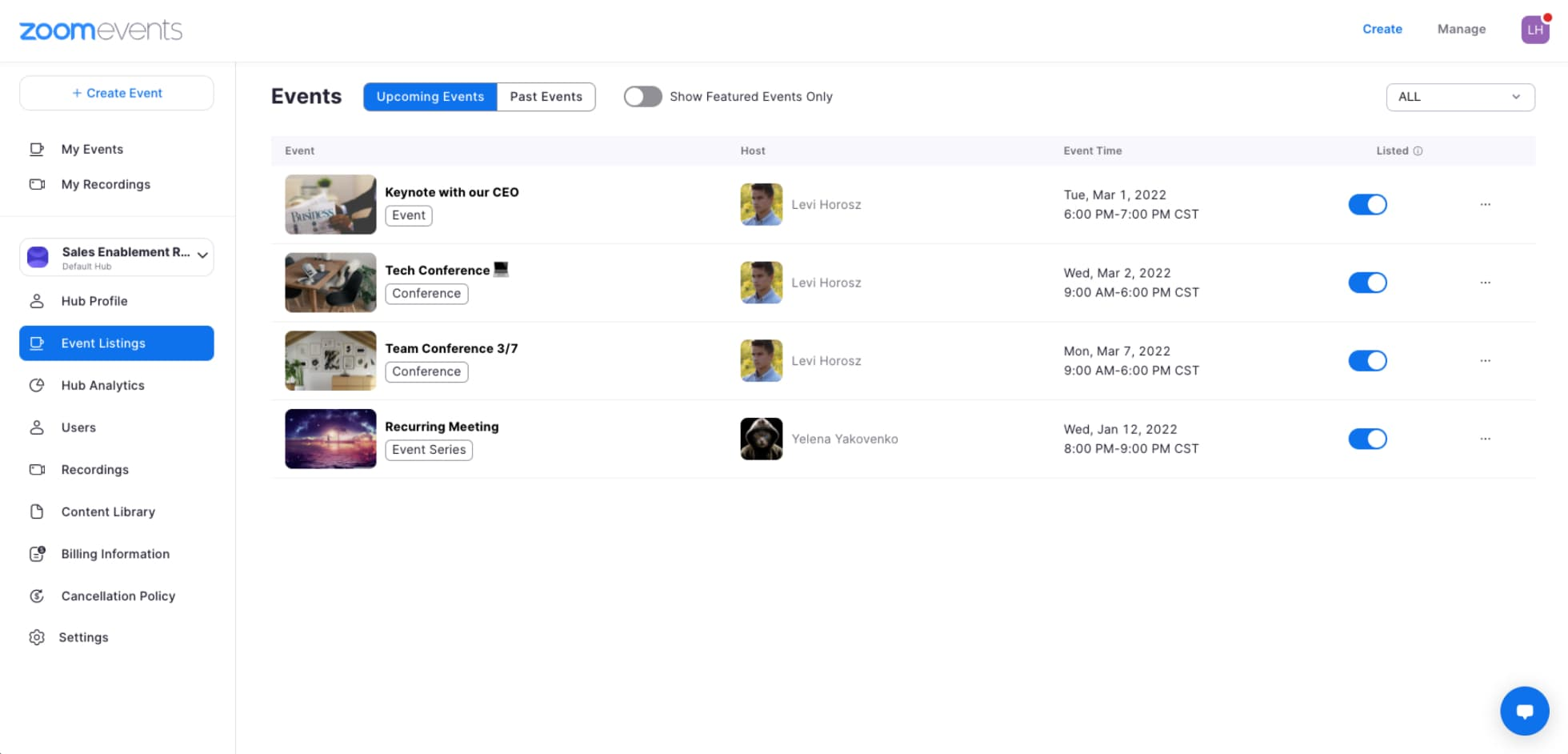
Zoom Events extends the video-call tool your organization already knows into multi-session territory: registration, a virtual lobby, an expo floor, and networking through breakout rooms. If your team already runs on Zoom and your attendees already have it installed, this is the path of least resistance.
Key features:
- Multi-session event scheduling with attendee registration
- Virtual lobby and expo floor for sponsors
- Breakout rooms for smaller discussions
- Familiar interface, low learning curve for attendees
- Recording and on-demand replay
Best for: Organizations already embedded in the Zoom ecosystem running corporate conferences or internal events where setup speed matters more than an immersive experience.
Limitation: Networking is still breakout-room based, meaning manual assignment or random shuffling rather than the walk-up conversations spatial platforms create.
Pricing: Zoom Events starts around $415.83/license/month, on top of an underlying paid Zoom Workplace plan.
Microsoft Teams: Best for Enterprise-Default, Internal Conferences
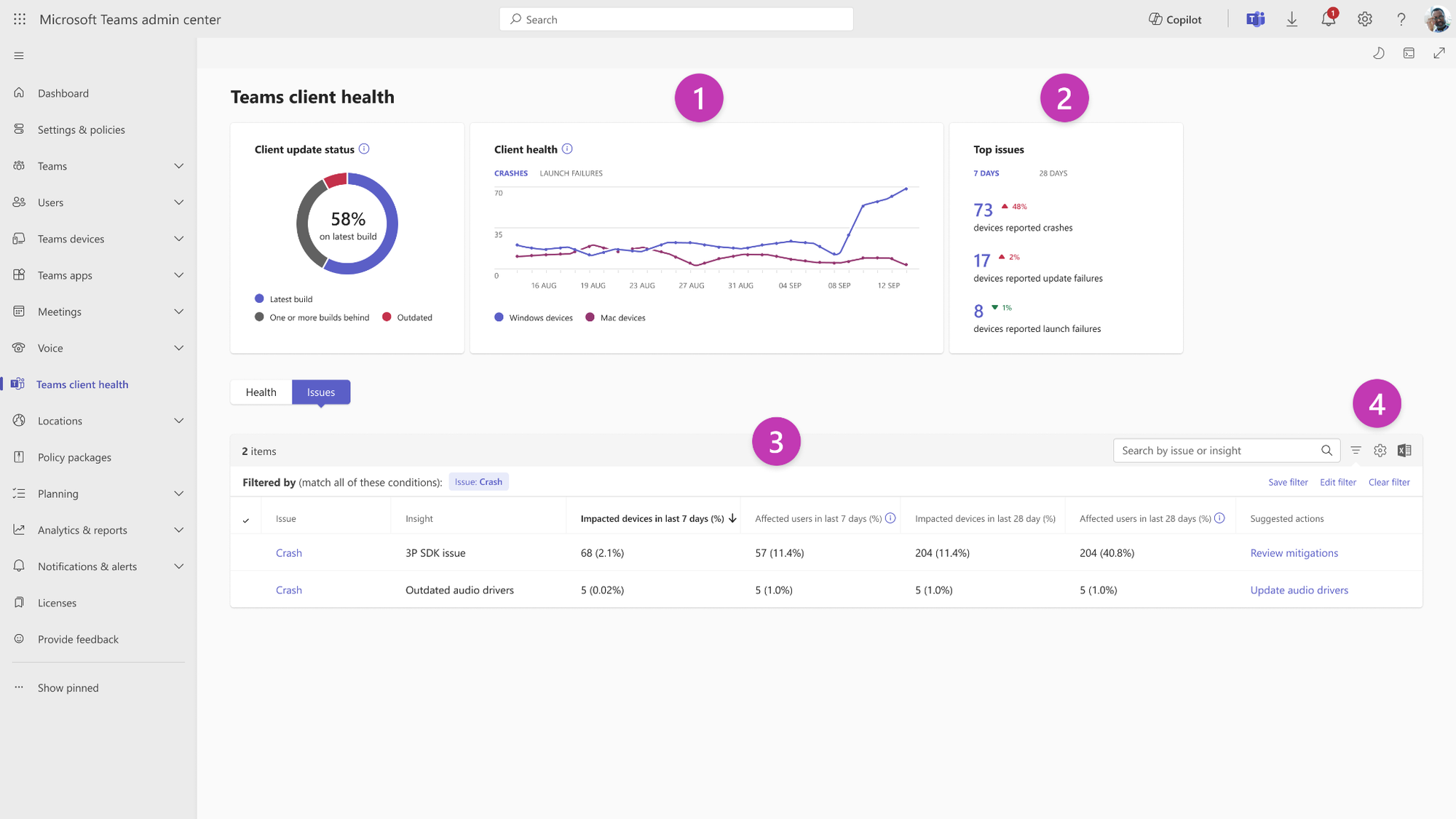
If your organization already runs on Microsoft 365, Teams can host a full virtual conference without adding a new vendor. As of April 2026, Microsoft unified its town hall and webinar experiences into a single Teams events flow inside the Meet app. It covers everything from a 50-person all-hands to a large-scale town hall.
Key features:
- Town halls and webinars in one unified events experience
- Live translated captions in multiple languages
- Up to seven presenter video feeds shown at once
- Q&A and chat for attendee interaction
- Deep integration with Outlook, SharePoint, and the rest of Microsoft 365
Best for: Enterprises already standardized on Microsoft 365 running internal town halls, all-hands, or company-wide conferences.
Limitation: Built for one-to-many delivery. Attendee cameras and mics are off by default in town halls, so organic networking isn't really the point.
Pricing: Town halls for up to 3,000 attendees are included with a standard Teams Enterprise license. Teams Premium adds AI features and extended capacity for $10/user/month, and events beyond 3,000 attendees require Attendee Capacity Packs priced from roughly €1,228/month.
Airmeet: Best for Premium Community Events
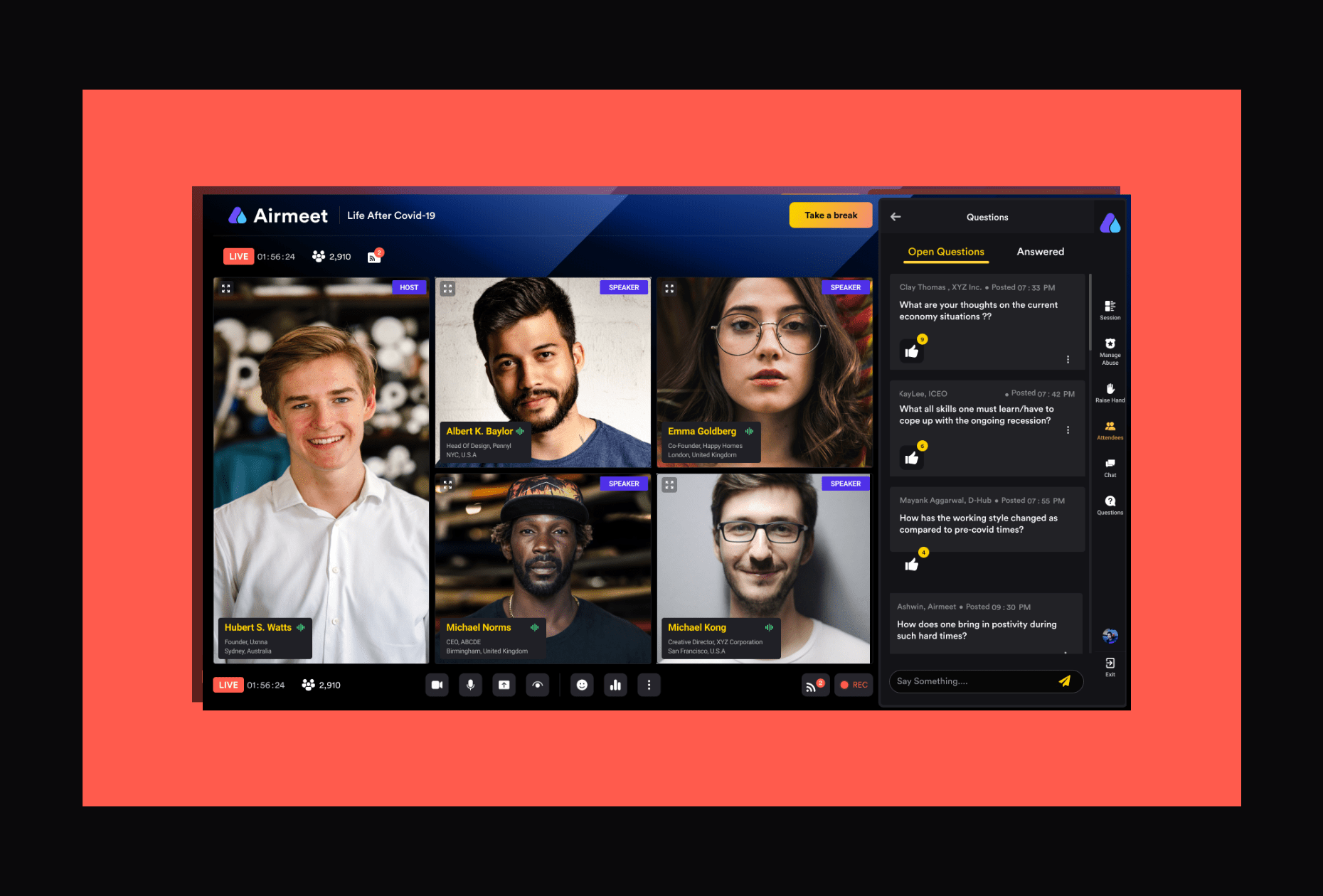
Airmeet built its reputation on community-style networking: attendees sit in virtual tables and lounges, and speed-networking rounds pair people up automatically instead of leaving them to browse a static list.
Key features:
- Social lounges with table-based video conversations
- Backstage area for speakers to prepare before going live
- Sponsor booths with lead capture
- Live chat, polls, Q&A, and emoji reactions
- Integrations with HubSpot, Salesforce, and Mailchimp
Best for: Mid-market teams running community-focused conferences or industry summits where structured networking matters.
Limitation: Pricing beyond the entry tier is opaque, and it's described by some reviewers as expensive relative to smaller competitors once you scale past 100 attendees.
Pricing: Airmeet's only published rate is $199/month for its self-serve Premium Webinars tier. Its Events and Managed Events tiers, built for larger conferences, require a sales quote, and some reviewers report costs climbing quickly once you add attendees or features.
Remo: Best for Structured Table Networking
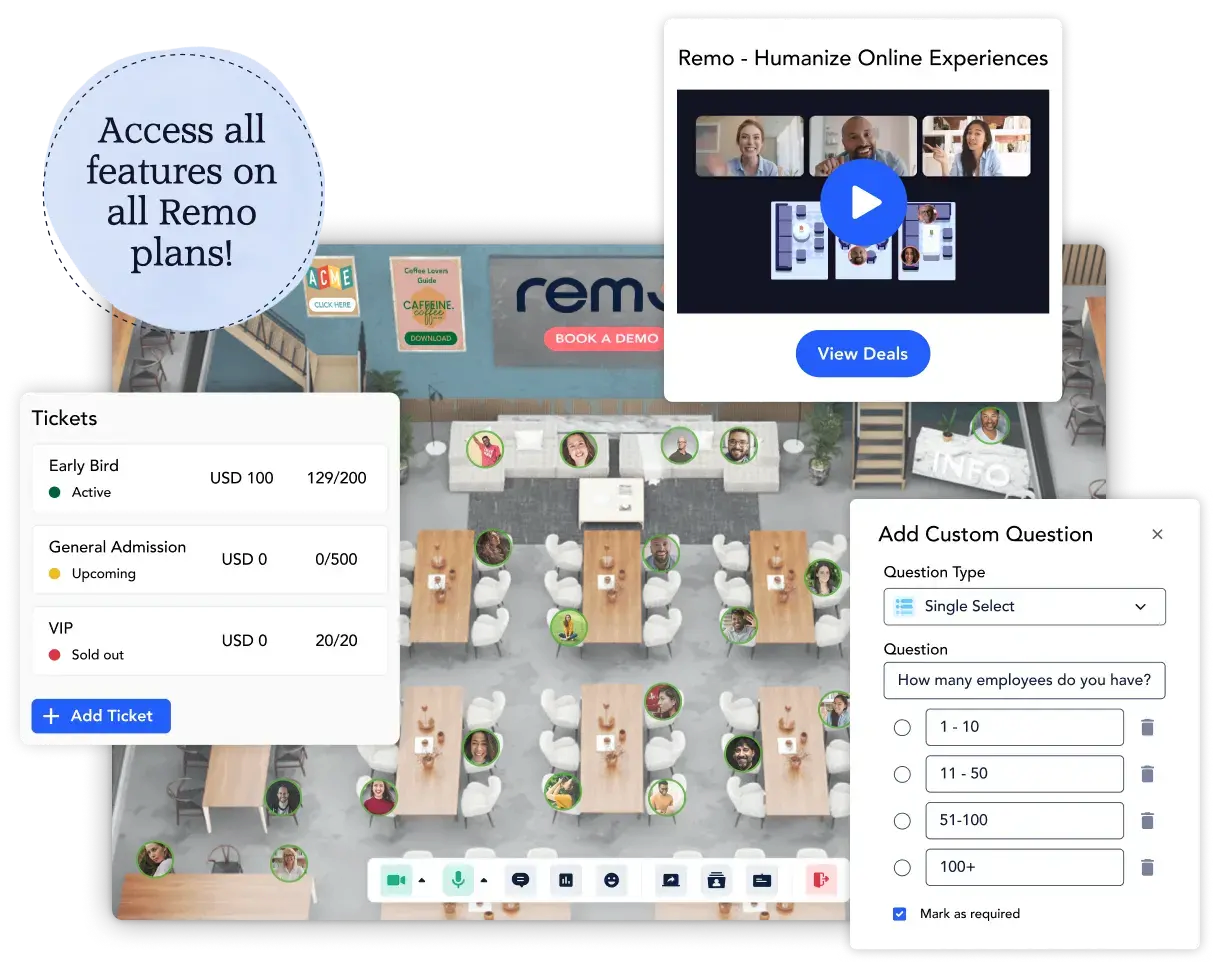
Remo takes a different approach to virtual networking than proximity audio: a visual floor plan with numbered, clickable tables. Attendees click a table to join a small video conversation with up to six to eight people, and switching tables takes one click.
Key features:
- Visual floor plan with clickable tables
- Presentation mode that broadcasts to all tables at once
- Sponsor banners on the virtual floor plan
- Event analytics dashboard
- Per-table whiteboard and screen sharing
Best for: Professional networking events, roundtables, and mentor-matching sessions for 50-500 attendees where structured small-group conversation is the priority.
Limitation: The table format doesn't scale well for casual, unstructured mingling. Attendees stay inside a small video grid, closer to a series of mini video calls than an open conference floor.
Pricing: Remo's Starter plan begins around $299/month, with one-time event pricing and custom Enterprise tiers also available.
Whova: Best for Large Academic and Professional Conferences
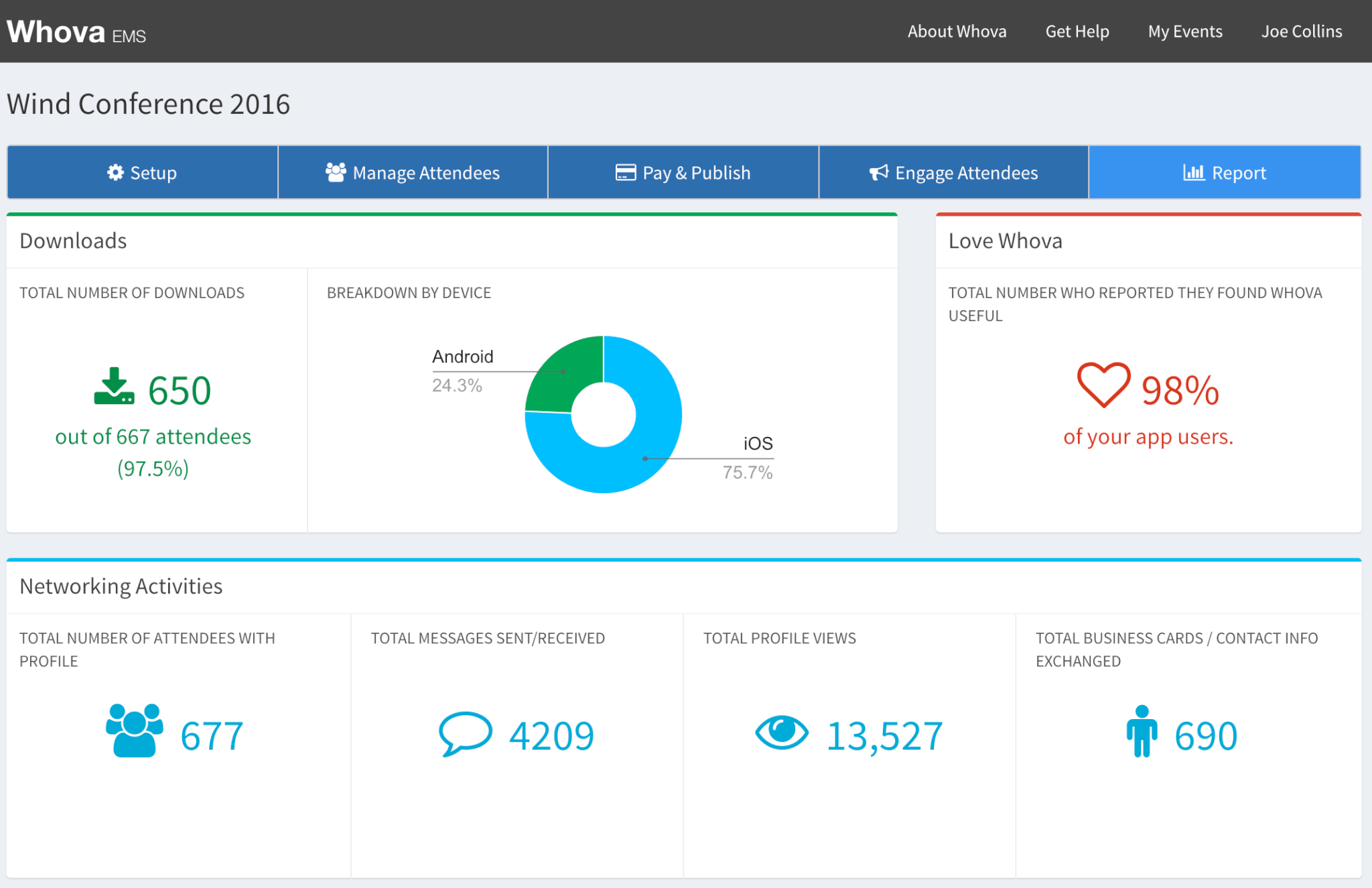
Whova has been in the event-management space for over a decade, and it shows in how complete the platform is. Registration, agenda building, speaker profiles, attendee matchmaking, sponsor booths, and post-event analytics all live in one app.
Key features:
- Full event management: registration, ticketing, agenda builder
- AI-powered attendee matchmaking
- Community Board for pre-event discussion
- Native mobile app with over 31,000 Google Play ratings at 4.9 stars
- Post-event analytics and engagement reports
Best for: Professional associations, academic conferences, and large corporate events that need end-to-end event management in one platform.
Limitation: The virtual experience itself leans traditional, video streams and chat rather than an interactive or spatial layout, so networking relies more on the matchmaking algorithm than organic encounters.
Pricing: Whova doesn't publish fixed prices. Cost depends on attendee count, event length, and customization, and typically runs into several thousand dollars per event for mid-size conferences.
How to Choose the Right Platform for Your Conference
The right platform depends on what your conference actually needs, not which one has the longest feature list:
- Choose SpatialChat if networking quality matters as much as content, and you want attendees having real, spontaneous conversations instead of watching a stream.
- Choose Zoom Events or Microsoft Teams if your organization already runs on that ecosystem and setup speed matters more than an immersive attendee experience.
- Choose Airmeet if you want structured community networking and can absorb pricing that climbs past the entry tier.
- Choose Remo if small-group, table-based conversations are the priority and your event stays under about 500 attendees.
- Choose Whova if you're running a 500+ attendee academic or professional conference that needs full event-management tooling, not just a video layer.
Whichever you pick, test the free tier or a demo with a small group first. The gap between what a platform's marketing page promises and how attendees actually behave inside it only shows up once real people are in the room.
Conclusion
Most virtual conference platforms solve for scale or familiarity. Fewer solve for the thing that actually makes a conference worth attending: attendees meeting people they didn't plan to meet. That's the gap from the start of this guide, and it's the first thing worth testing before you commit to a platform.
Match the platform to your event size and networking goals rather than defaulting to whatever your team already has a login for. Try SpatialChat free to see what a conference feels like when attendees can actually walk up and join a conversation.
FAQ
What is the best free virtual conference software?
SpatialChat and Microsoft Teams both offer usable free tiers. SpatialChat's free plan supports small events with core spatial features, and Teams includes basic meetings for up to 100 participants. Neither free tier supports large-scale, multi-track conferences.
How much does virtual conference software typically cost?
It ranges from free (SpatialChat, Teams) to $199-$415 per month for mid-tier platforms like Airmeet and Zoom Events. Whova can run several thousand dollars per event, and larger Airmeet or Remo deployments need a custom quote.
What's the difference between a webinar platform and a virtual conference platform?
A webinar platform is built for one-to-many broadcasts: a presenter talks, attendees watch. A conference platform adds multi-track sessions, networking spaces, and sponsor booths, so attendees move between content and conversation instead of watching a single stream.
Can virtual conference software support hybrid events?
Some can. Microsoft Teams and Whova both explicitly support hybrid formats, combining in-person and remote audiences with shared registration and streaming. Platforms built primarily for spatial networking, like SpatialChat and Remo, are designed for fully virtual audiences.
How many attendees can virtual conference platforms handle?
It varies widely by platform and pricing tier. Remo tops out around 500 attendees, and Airmeet and Whova scale into the thousands with a sales quote. Microsoft Teams can reach up to 100,000 with Teams Premium and Attendee Capacity Packs.
What is spatial audio in a virtual conference?
Spatial audio adjusts volume based on how close your avatar is to other attendees in a shared virtual space. Voices fade in as you approach a group and fade out as you leave, mimicking how conversations naturally start and end at an in-person event.
Do virtual conference platforms require attendees to download anything?
Most modern platforms, including SpatialChat, Zoom Events, Airmeet, and Remo, run entirely in the browser. Microsoft Teams works best with its desktop or mobile app, though a browser version exists for attendees who'd rather skip the install.
How do you keep attendees engaged during a virtual conference?
Break sessions into shorter blocks with built-in interaction points like polls or Q&A, and schedule dedicated networking time instead of assuming it happens on its own. Platforms with proximity audio or table-based networking make that unscheduled mingling far easier to pull off.
Can I try virtual conference software before buying?
Yes, in most cases. SpatialChat, Airmeet, Remo, and Zoom Events all offer free trials or demo access. Whova requires a sales conversation and quote request before you can test the platform directly.
What's the ROI of a virtual conference compared to an in-person event?
Virtual conferences cut travel, venue, and catering costs, and expand reach to attendees who couldn't otherwise attend. The virtual events market is projected to grow from $119.8 billion in 2025 to $472.9 billion by 2033, a sign organizations see real return.